Roblox Multiple Accounts Management with Easy Multi-Instance Setup and Fast Switching
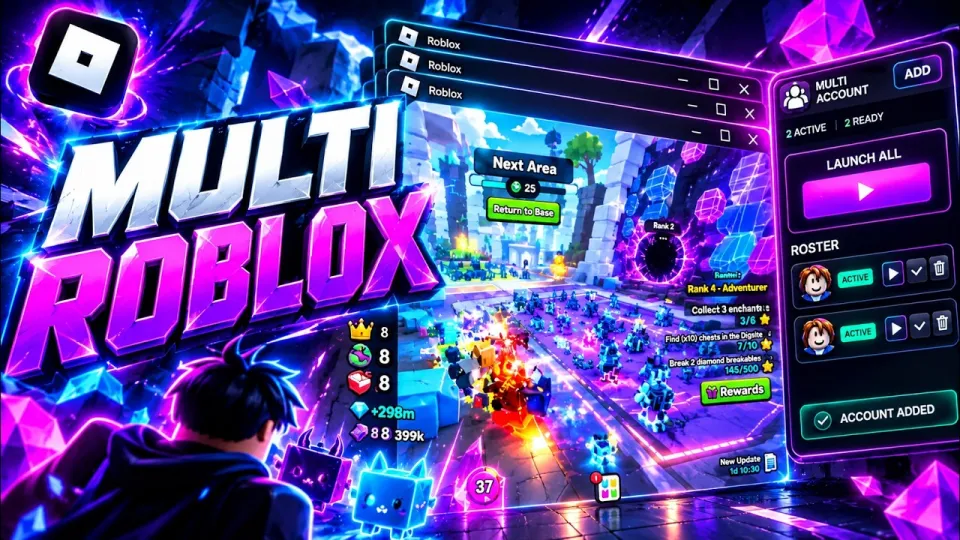
Video: How to Open Multiple Roblox Accounts at Once | 5+ Accounts
· based on the channel coco #1 shel glazer ౨ৎ
Key takeaways
- Manage 5+ Roblox accounts simultaneously on one PC
- Use multi-instance technology to run several Roblox windows
- Securely save login credentials and switch fast between accounts
- Customize each instance with separate settings and resource saver
- Supports AFK farming and auto-launch of multiple accounts
Managing multiple Roblox accounts at once is now straightforward with dedicated multi-instance software like Multiplerbx. This tool allows users to open and run 5 or more Roblox accounts simultaneously on a single PC without the hassle of logging out and back in repeatedly. The software supports secure credential saving, fast account switching, and customizable settings for each instance, streamlining gameplay and account management for farming, testing, or multi-account gaming.
What Is Roblox Multiple Accounts Management
Roblox multiple accounts management involves using software or methods to run several Roblox accounts concurrently on the same computer. This is useful for players who want to farm in games like Pet Simulator 99, test different profiles, or maintain alternative accounts without interruption.
How to Open Multiple Roblox Accounts at Once
To open multiple Roblox accounts on one computer at the same time, you need multi-instance technology that lets you launch separate Roblox windows independently. Multiplerbx, available at https://multirobls.net, is a popular solution that includes:
- An Account Manager to add and organize unlimited Roblox accounts.
- Multi-instance support to run from 2 up to 10 or more Roblox windows simultaneously.
- Fast Switching capability to toggle between accounts without logging in repeatedly.
- Secure credential storage to save login details safely.
- Profile system for separate settings per account, including window size, position, and audio controls.
Benefits of Using a Roblox Multi-Instance Manager
Using a multi-instance manager like Multiplerbx simplifies managing multiple Roblox accounts through:
- Efficiency: Launch and switch accounts quickly without repeated login.
- Organization: Keep all your accounts easily accessible and sorted.
- Customization: Adjust each instance’s settings individually to optimize performance and usability.
- Resource Saving: Reduce FPS on background instances to save computer resources.
- Automation: Utilize AFK farming features to keep accounts active for extended periods without manual input.
Typical Questions About Running Multiple Roblox Accounts
Many players wonder how to handle common challenges such as avoiding bans, syncing accounts, or managing performance:
- You can run multiple instances safely with software designed for this purpose, but avoid violating Roblox’s terms of service.
- Each instance runs independently, so actions on one account won’t affect others.
- Performance depends on your PC specs; reducing background instance FPS helps maintain smooth gameplay.
Useful Tips for Managing Multiple Roblox Accounts
- Always keep your login credentials secure and avoid sharing accounts.
- Use the profile system to save personalized settings for each account.
- Take advantage of auto-launch to start all your accounts with one click.
- Resize and mute windows of background instances to reduce distractions.
Popular Use Cases for Multiple Roblox Accounts
- Farming in games like Pet Simulator 99 where multiple accounts increase resource gain.
- Testing game features or bots across different accounts.
- Social or trading purposes where players maintain alternative identities.
Useful Links
- Multiplerbx official site and download: https://multirobls.net
Conclusion
Managing multiple Roblox accounts simultaneously has never been easier with tools like Multiplerbx, which offer multi-instance technology, fast switching, and extensive customization options. Whether you are farming, testing, or playing on various accounts, this solution streamlines the process and saves time. For a detailed walkthrough and the latest features, check out the channel coco #1 shel glazer ౨ৎ. Don’t forget to visit https://multirobls.net to download the software and start managing your Roblox accounts efficiently.
Source: How to Open Multiple Roblox Accounts at Once | 5+ Accounts · Markdown version
Questions & answers
Can I run more than two Roblox accounts at the same time on one PC?
Yes, with multi-instance software like Multiplerbx, you can run 5 or more Roblox accounts simultaneously on a single computer without needing to log out and log back in repeatedly.
Is it safe to save my Roblox login credentials in multi-account software?
Multiplerbx securely saves your login information using encryption, allowing you to switch between accounts quickly while keeping your credentials protected.
Will running multiple Roblox accounts reduce my computer's performance?
Running multiple instances can affect performance, but features like resource saver reduce FPS on background windows to minimize the impact and keep your system running smoothly.
Does using multiple accounts violate Roblox’s terms of service?
Using multiple accounts is allowed as long as you don’t engage in cheating or rule-breaking activities. Always ensure your multi-account use complies with Roblox’s community standards to avoid bans.